

Built to Track
Not
To Sell
A workout tracker built entirely inside Apple's ecosystem. Timed intervals or per-set weight logging — your choice, every session. Your health data stays on your devices. Your metrics are calculated on-device. Your workouts run natively on iPhone and Apple Watch — no cloud middlemen, no third-party tracking, ever.
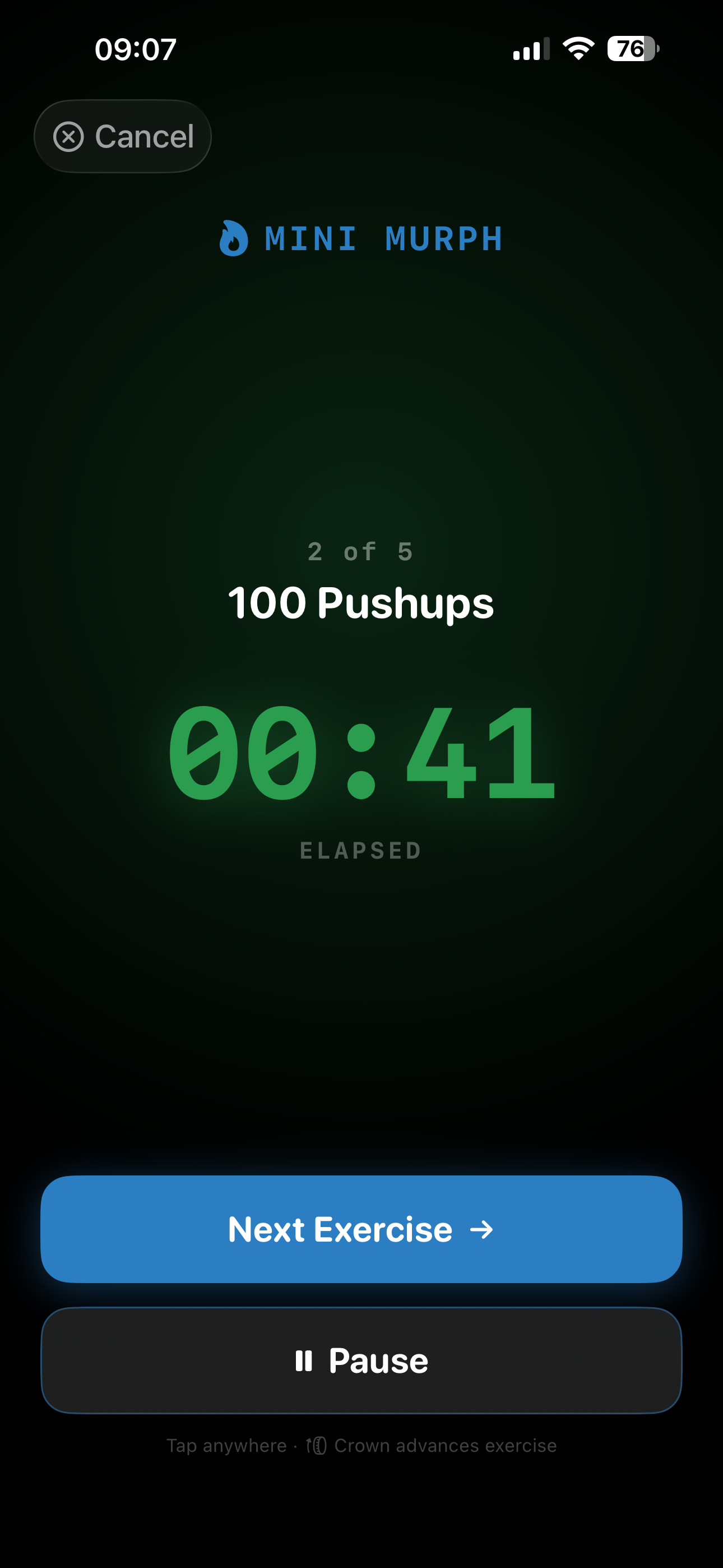
Apple Watch App
PROFull sessions from your wrist
Live Heart Rate
PROReal-time BPM streaming
HR Zone Feedback
PROColor-coded Zones 1–5
iCloud Sync
PROEnd-to-end encrypted
Built by Soldiers & Athletes.
For Apple. Only Apple.
Focus on your workout — not your platform.
PulseAnvil isn't a cross-platform app that happens to run on iPhone. Every feature is built around Apple's frameworks, lives inside Apple's ecosystem, and never touches a third-party server.
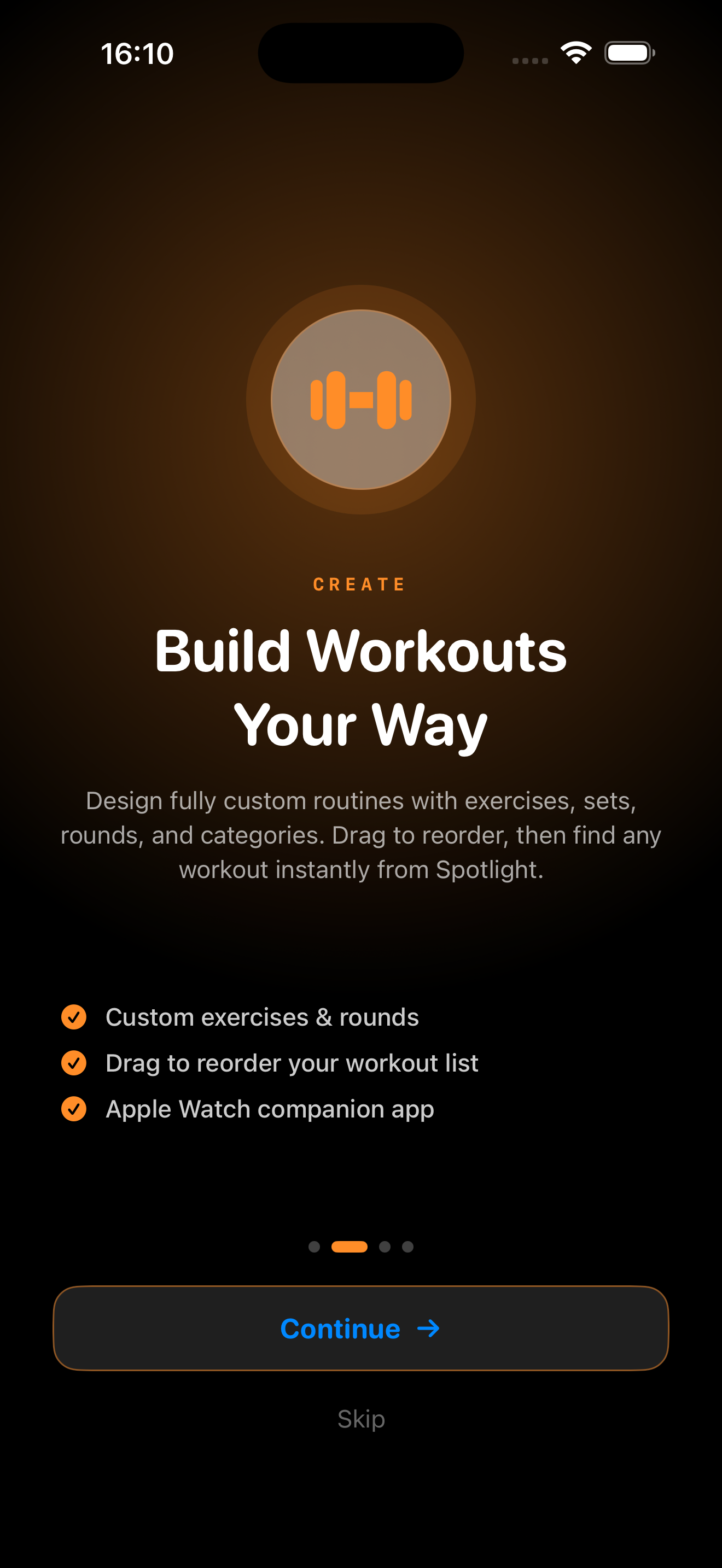
Custom Workouts
Create and organize workouts by category. Add exercises, set timed intervals and rest periods, and build routines that match your exact training style. New users start with a pre-loaded "Full Body Strength" workout — real weight and rep targets, set tracking, and rest timers already configured so you can jump straight into a session.
Your data never leaves your devices
Sign in with Apple — no password, no email address shared. Every metric PulseAnvil calculates, from heart rate zones to your Recovery Readiness score, is processed entirely on your iPhone. HealthKit data never touches an external server. Zero third-party trackers, zero ads, zero data harvesting — ever. When you share a workout, the exported file contains only the workout structure. Your health data and identity are never included.
Real-Time Heart Rate Zones
PremiumMonitor live heart rate data during every session. Color-coded zone feedback keeps you training at the right intensity — from warm-up to max effort. Zones 1–5, streamed live from Apple Watch.
Apple Watch Companion
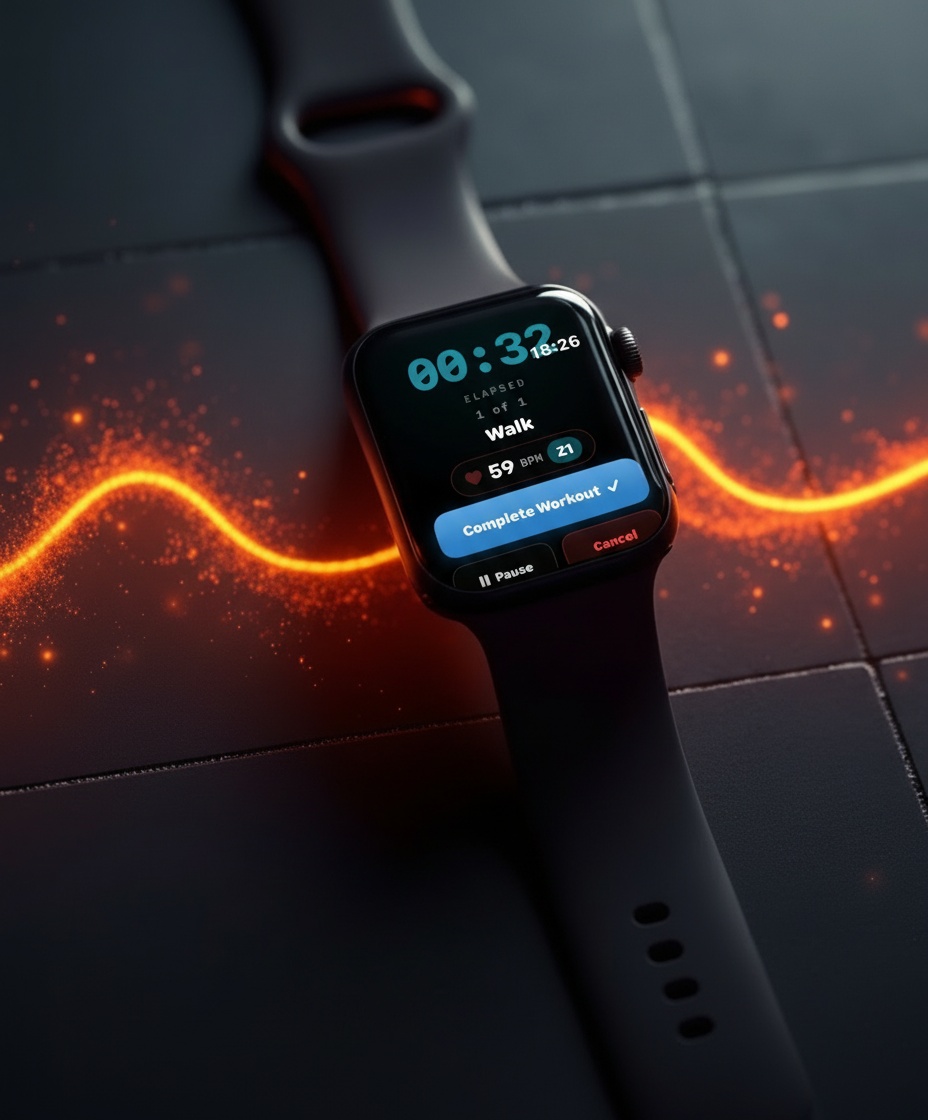
PremiumRun full workouts straight from your wrist. Session controls, set tracking with weight & reps, haptic cues for interval transitions, and a summary right on your Watch face — no iPhone needed mid-session.
Performance Metrics
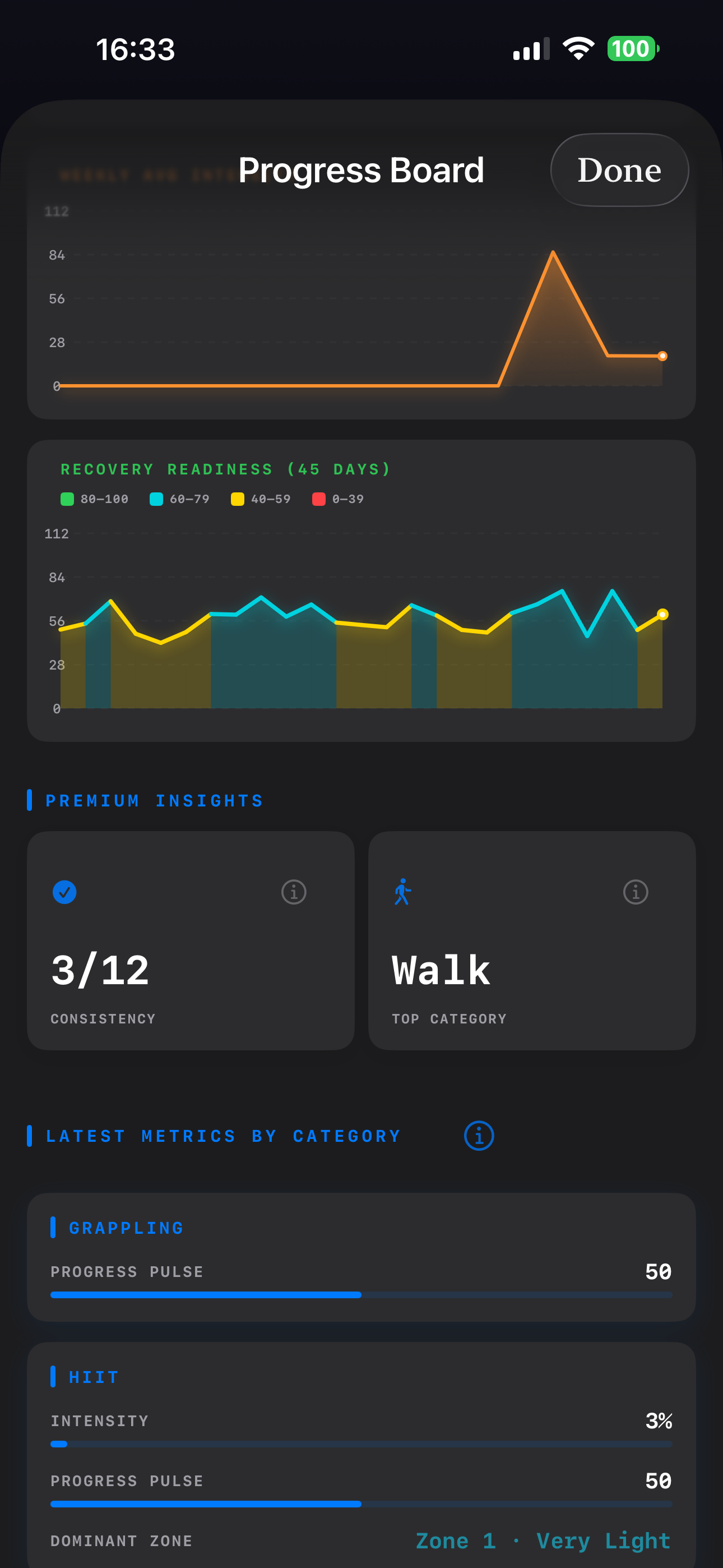
Dig into your workout history, weekly trends, and detailed per-session stats. Understand how your fitness is progressing over days, weeks, and months.
iCloud Sync
PremiumPremium subscribers get seamless end-to-end encrypted sync across all their Apple devices via CloudKit. Your workouts and progress are always with you.
Spotlight Search
Find any workout instantly from your iPhone home screen. PulseAnvil indexes every workout in Spotlight — just swipe down, type a name, and tap to jump straight to the details. No need to open the app and scroll.
Drag to Reorder
Arrange your workout list exactly how you want it. Long-press and drag any workout to move it up or down — put tomorrow's session at the top for quick access on both iPhone and Apple Watch.
Workout File Sharing
FreeShare any workout via AirDrop, Messages, or Mail in one tap. Exports to a compact .pulseanvil file — only the workout structure, never your health data or identity. Recipients get an import confirmation and the workout lands straight in their list. Free for all users.
Set & Weight Tracking
NewTwo distinct tracking modes — Timed or Set & Weight. Toggle on set tracking when building a workout and each exercise becomes a set with its own number, target weight, and target reps. Weight and reps carry forward between sets but can be adjusted on the fly. Every set logged — actual weight and reps — is saved and displayed in your journal. Mutually exclusive with rounds for a clean, predictable session flow.
How It Works
Six steps to your best workout
PulseAnvil gets out of your way and lets you focus on what matters — training.
Settings
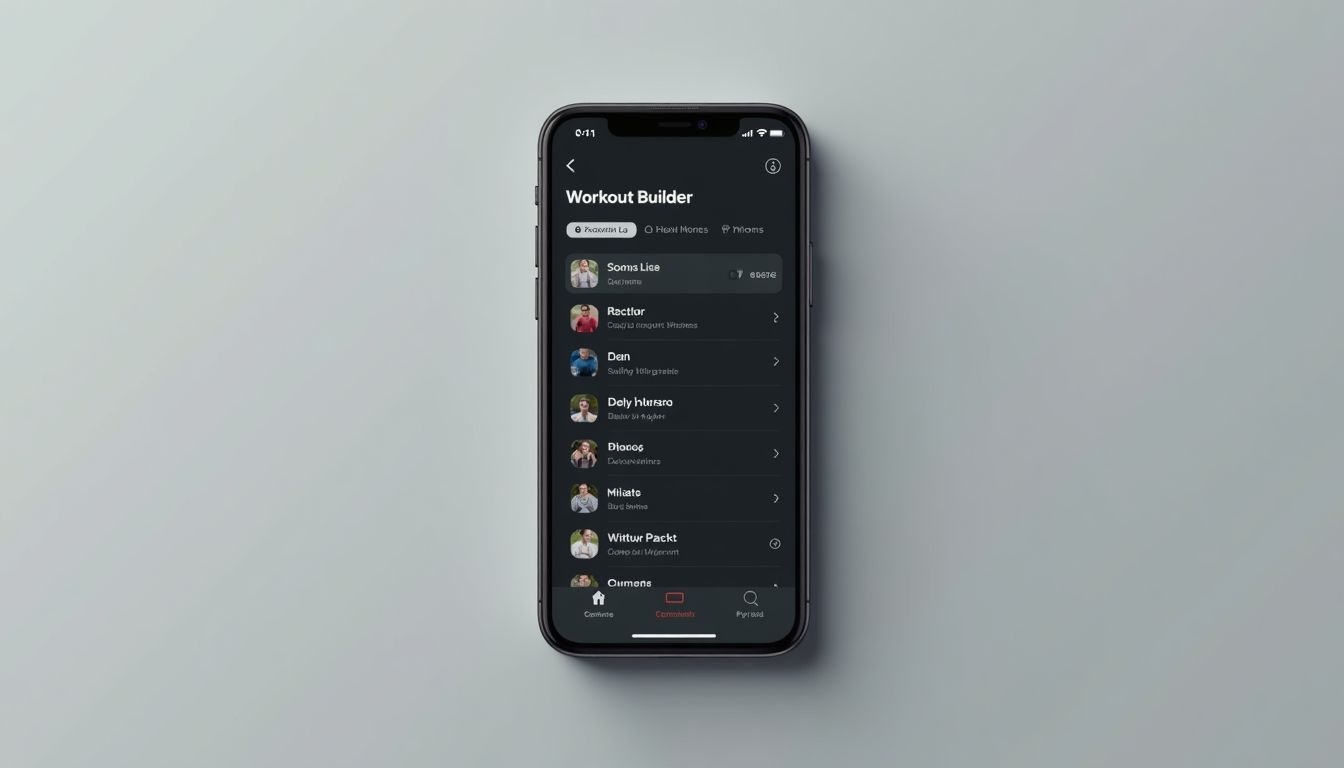
Select your customized settings. Choose your default tracking mode, configure rest timer defaults, set your heart rate zones, and connect your Apple Watch. Takes two minutes — saves you from fiddling mid-session.
Set Up Your Profile
Start by creating your profile. Enter your name, age, and fitness goals so PulseAnvil can personalize your experience from day one. Your profile is the foundation everything else builds on.
Build Your Workout
Name your exercises, set rest intervals, and organize by training category. Keep it simple with timed tracking — or flip on Set & Weight mode to define sets, reps, and target weight per exercise for full per-set volume tracking.
Edit Your Workout
Swap exercises, reorder movements, adjust sets and weights, or tweak rest timers — all without starting from scratch. Your workout evolves as you do. Changes save instantly and sync to your Watch automatically.
Start Your Session
Launch on iPhone or jump straight into your Apple Watch. Live heart rate zones guide your intensity from the first rep to the last.
Review Your Progress
After every session, get a full breakdown of performance metrics. Track trends over time and see how far you've come.
Numbers that actually
mean something
Premium wearables charge a subscription to tell you whether your body is ready to train. PulseAnvil delivers the same insight — HRV trends, resting heart rate, sleep quality — calculated on your iPhone every morning using data HealthKit already collects while you sleep. No extra hardware. No separate account. No data leaving your devices.
Every metric is calculated 100% on-device using HealthKit data. Nothing is sent to external servers — ever.
Select for Explanation:
Recovery Readiness
Premium0 – 100
Uses overnight data from HealthKit to calculate your body's readiness for training today:
- Heart Rate Variability (HRV) — Last night's average HRV compared to your personal 30-day baseline (higher variability = better recovery)
- Resting HR Trend — Adjusts score down if this morning's resting HR is elevated >5 bpm above your recent 7-day average
- Sleep Contribution — Bonus points if sleep duration exceeds 7 hours with good quality indicators from HealthKit Sleep Analysis
High fatigue detected — prioritize recovery, active rest, or very light Z1–Z2 only.
Proceed with caution — moderate intensity or reduced volume recommended.
Body is primed — excellent day to push hard, add volume, or chase PRs.
While your other metrics show you what you did in past sessions, Recovery Readiness tells you what you should do today. It acts as the missing daily feedback loop — using HRV, resting heart rate trends, and sleep quality to help you avoid burnout and maximize adaptation.
Many premium wearables charge extra for this insight. PulseAnvil delivers it on-device, privacy-first, with zero data leaving your devices.
See PulseAnvil
in action
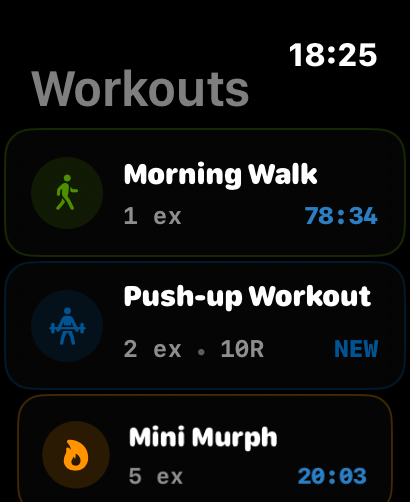
A closer look at the screens you'll use every training day.
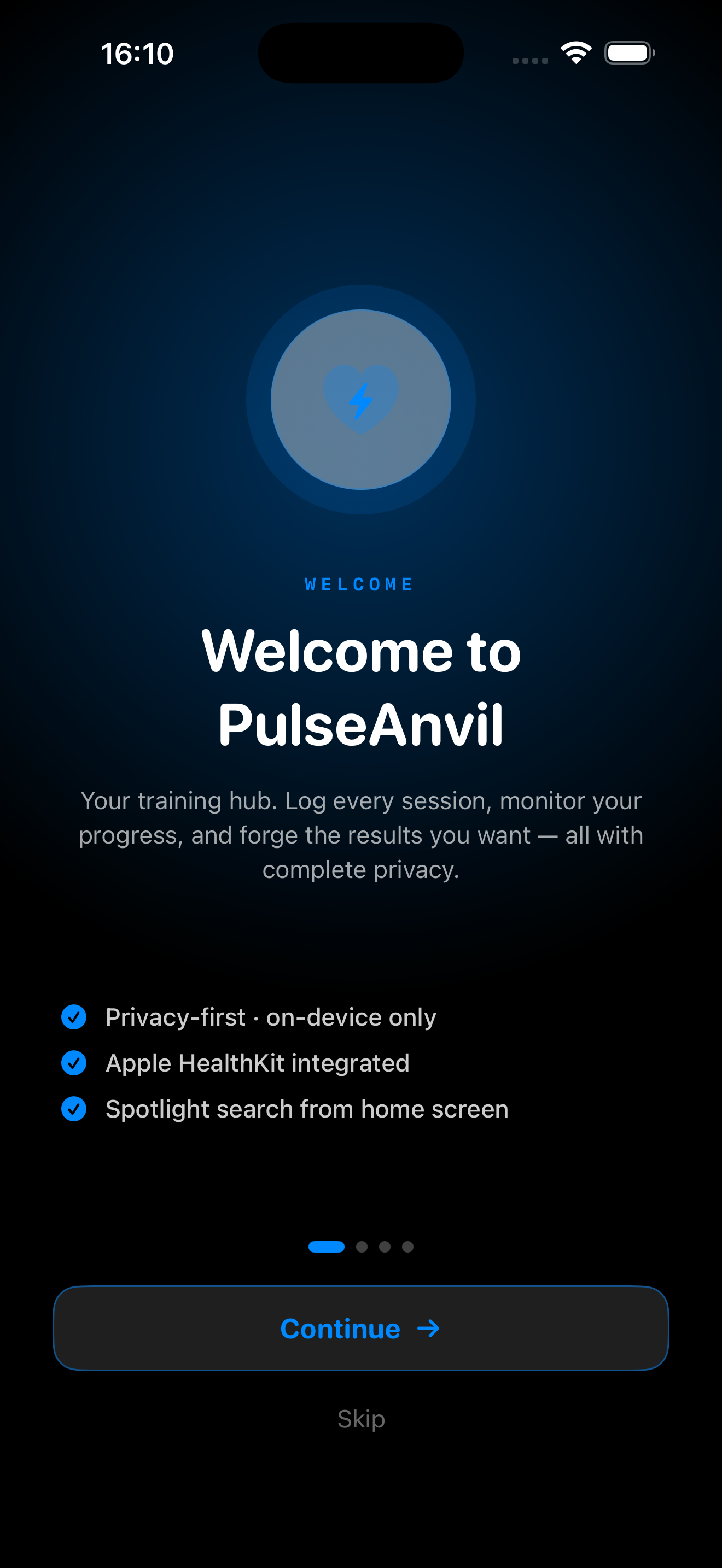
Welcome
Get started with PulseAnvil
1 / 16
What's New
We ship updates regularly. Here's what's been added, improved, and fixed.
How It Works in Settings — Video Tutorials, Right Where You Need Them
- New "How It Works" row in Settings → Support — sits alongside Report a Bug, Request a Feature, and Visit PulseAnvil Fitness. Tap the row and a video tutorial library opens instantly via an external link.
- Chapter-style tutorial layout — videos are grouped by topic (Getting Started, Workouts, Apple Watch, Premium Features) so you can jump straight to what you need without scrubbing through unrelated content.
- Resume where you left off — the player remembers your position per video. Come back to a tutorial later and pick up exactly where you stopped.
- Offline-ready — recently watched tutorials are cached locally so you can rewatch them without a connection. Great for the gym.
Watch History Sync — Your Workouts Follow You Home
- Dual-channel sync — completed Watch workouts now transfer to iPhone automatically via both background delivery and live message passing. Fast when your phone is nearby, reliable when it's not.
- Deduplication built in — every history entry carries a UUID. If the same session arrives twice (e.g. background + live), only one copy is ever saved. No duplicates, ever.
- Split times preserved — per-exercise split data transfers alongside the session and is reconstructed in full on iPhone. Nothing gets lost in transit.
- SwiftData native — received history is matched to the correct Workout by UUID and saved directly into SwiftData. No intermediate storage, no sync queue to manage.
Starter Workouts, Free Tier Expansion & Premium Soft Paywall
- Starter Workout — "Full Body Strength" now comes pre-loaded for new users with set tracking and rest timers enabled. Real targets are filled in (Squat 4×8 @ 135 lbs, Bench 3×10 @ 115 lbs, and more) with a 90-second rest timer between exercises. New users immediately see what a fully configured workout looks like.
- Free Tier Expansion — Consistency Score and Most Trained Category are now free for everyone. Both stats appear in the 90-Day Stats grid on the Progress Board alongside your other metrics. No Premium required.
- Onboarding Copy Cleanup — onboarding now accurately reflects what's free vs. Premium. Apple Watch and heart rate features are clearly labeled as Premium. Rest timers, volume tracking, heatmaps, and the Progress Board are now called out in the free feature list.
- Premium Soft Paywall — after the last onboarding page, the Premium screen appears as a sheet. Subscribe or tap "Done" to skip — either way you land in the app. No hard gate, no forced upgrade.
- Fix: "Rich Share Cards" was incorrectly listed as a Premium feature — sharing is free for all users. Replaced with "Weekly Intensity Trends," which is genuinely Premium-only.
- New Slogan — "Forge Your Fitness" → "Built to track, not to sell." Updated on both the iOS splash screen and the Watch home screen.
Frequently asked
questions
Everything you need to know about PulseAnvil — from heart rate tracking to privacy and pricing.
PulseAnvil requires iOS 18.6 or later on iPhone and watchOS 11.6 or later on Apple Watch. It is compatible with Apple Watch Series 6 and newer, the Apple Watch SE (2nd generation and later), and all Apple Watch Ultra models.
PulseAnvil reads live heart rate data directly from your Apple Watch throughout every session. Premium subscribers see real-time color-coded zone feedback — Rest, Fat Burn, Cardio, Threshold, and Peak — on both iPhone and Apple Watch as they train. Free users get a 90-day heart rate heat map after each workout, giving a clear picture of training consistency and effort trends over time.
Recovery Readiness is a 0–100 daily score that tells you how prepared your body is for training today — before you even start. Every morning, PulseAnvil pulls three overnight signals from HealthKit: your Heart Rate Variability (HRV) compared to your personal 30-day baseline, whether your resting heart rate is elevated above your recent 7-day average, and how your previous night's sleep duration and quality measure up. These three signals are weighted and blended into a single score. A score of 70–100 means your body is primed to push hard. 40–70 suggests moderate effort or reduced volume. Below 40, prioritise recovery or a light Zone 1–2 session. The score refreshes automatically each morning and everything is calculated on-device — nothing leaves your iPhone.
HRV stands for Heart Rate Variability — the tiny fluctuation in timing between consecutive heartbeats. A higher HRV generally means your nervous system has recovered well and your body is ready to handle stress. A lower HRV can signal fatigue, poor sleep, or that your body is still adapting from a hard session. Elite athletes have used HRV for years to guide training decisions, but it is just as useful for recreational athletes. Instead of guessing whether to go hard or take it easy, HRV gives you an objective signal. PulseAnvil uses your overnight HRV from HealthKit — collected passively while you sleep — so there is nothing extra to do. It simply shows up in your Recovery Readiness score each morning.
Yes. The custom workout builder lets you create routines from scratch: add any exercise, set timed intervals, configure rest periods, and group sessions by category. Every workout you create is also indexed in iPhone Spotlight, so you can find and launch it from your home screen in seconds.
Absolutely. All your workouts and training data are stored locally on your devices so you can train in the gym, on a trail, or anywhere without a signal. iCloud sync (a Premium feature) automatically backs up and syncs your data end-to-end encrypted whenever a connection is available.
Workouts and settings sync in real time over Bluetooth when your iPhone and Apple Watch are paired. Premium subscribers also get iCloud sync, which keeps all your data consistent across every Apple device you own — your full history travels with you.
Yes. PulseAnvil connects to Apple HealthKit to read and write workout data, heart rate, and activity metrics. Your fitness data stays in Apple's secure ecosystem — PulseAnvil never sells or shares it, and you can revoke access at any time from your iPhone privacy settings.
PulseAnvil is free to download and genuinely useful without ever paying. The free tier includes the full workout builder, both Timed and Set & Weight tracking modes, per-set volume calculation (Weight × Reps per set with session totals in your journal), workout history, progress selfies, a 90-day activity heatmap, 12-week trend graphs, Consistency Score, Weekly Duration, and Most Trained Category. That's a complete training toolkit at no cost. Premium unlocks the Apple Watch companion app, iCloud sync, live heart rate streaming, color-coded HR zone feedback, and four advanced metrics: Recovery Readiness (HRV-based daily readiness score), Progress Pulse (composite session quality score), Dominant Zone Analysis, and Weekly Avg Intensity trend graph. Premium is available as a monthly or annual plan, managed entirely through the App Store.
- Workout Builder — Custom workouts with exercises, rounds & categories
- Timed Tracking — Split times recorded per exercise each session
- Set & Weight Tracking — Define sets, reps & target weight per exercise; log actuals on the fly
- Per-Set Volume — Weight × Reps calculated per set; session total shown in journal
- Session Timer — Full round & exercise tracking with rest intervals
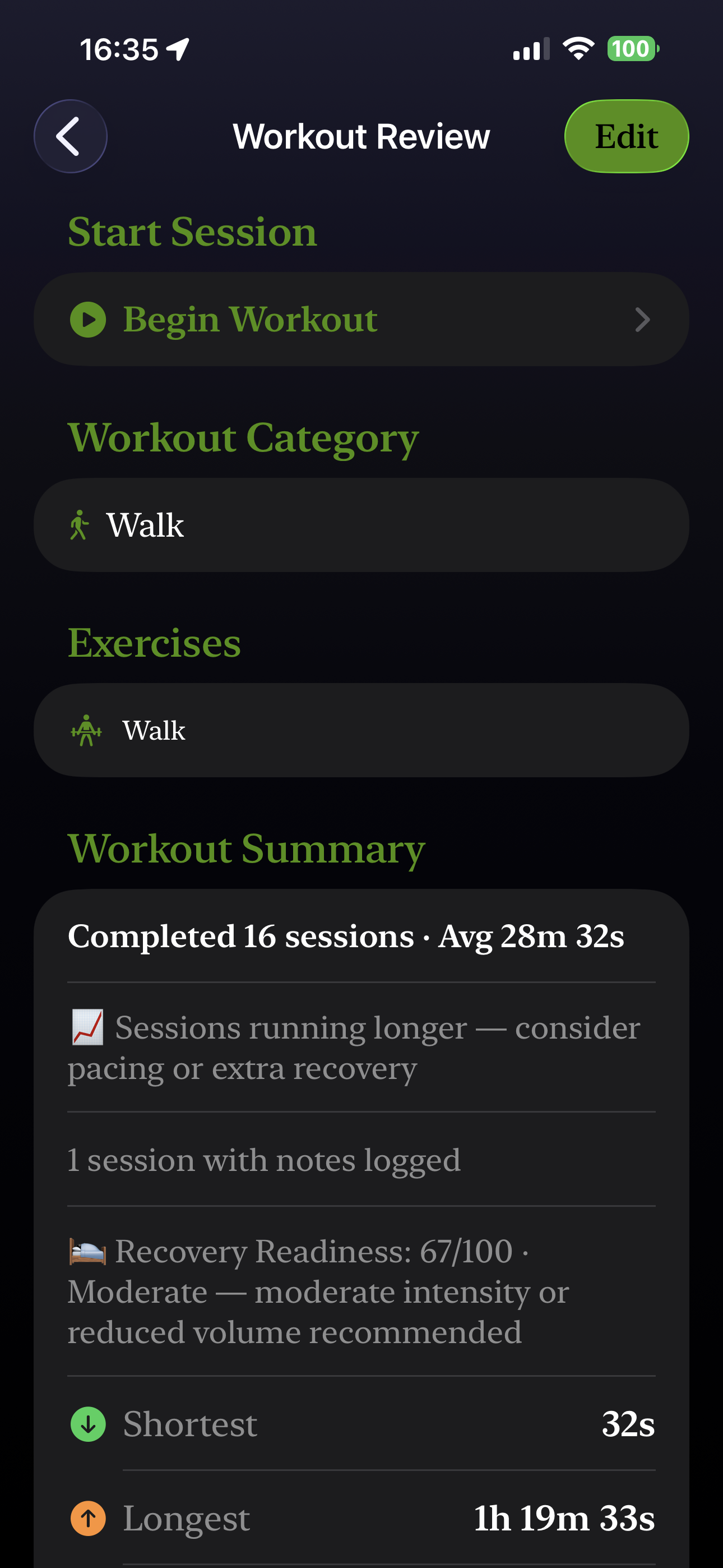
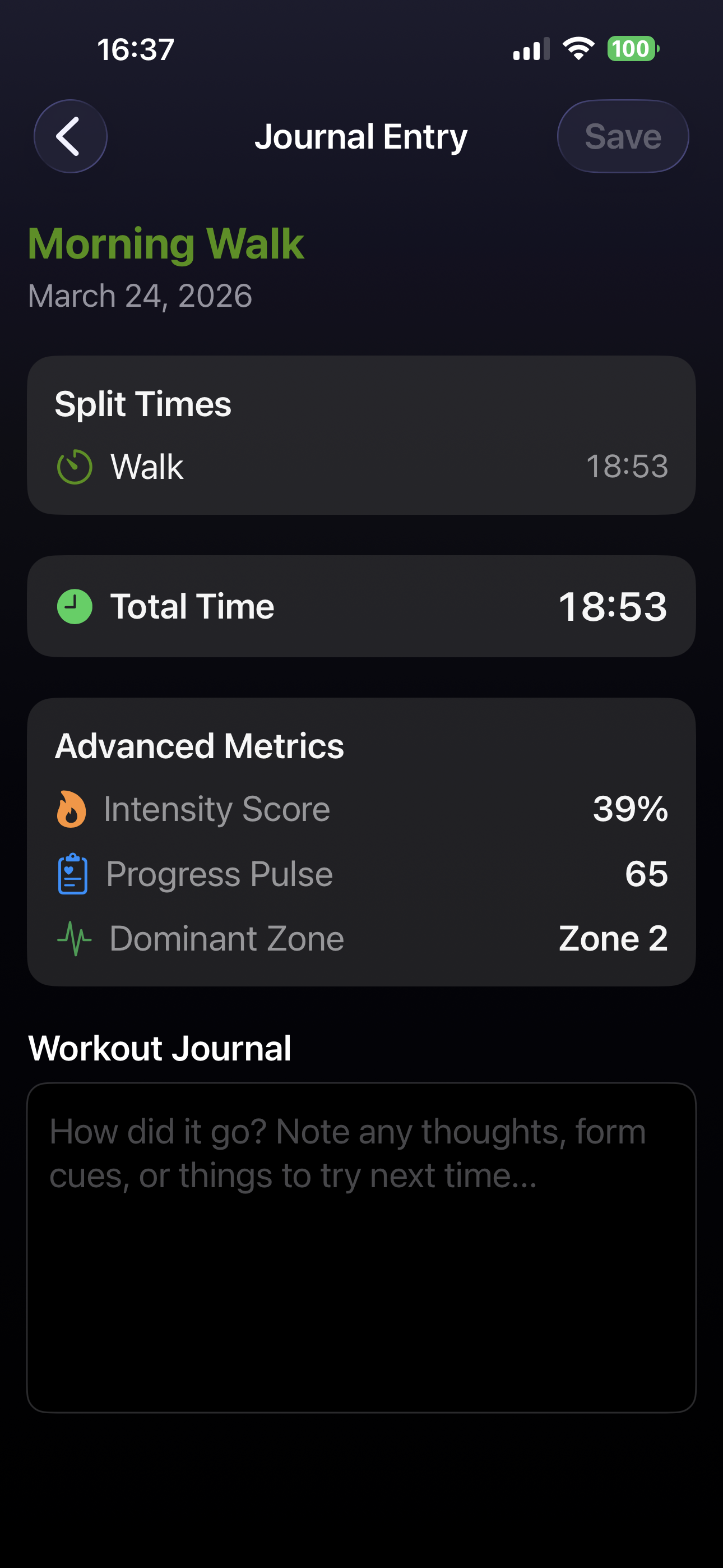
- Workout History & Journal — Full session log with date, duration, notes & progress selfies
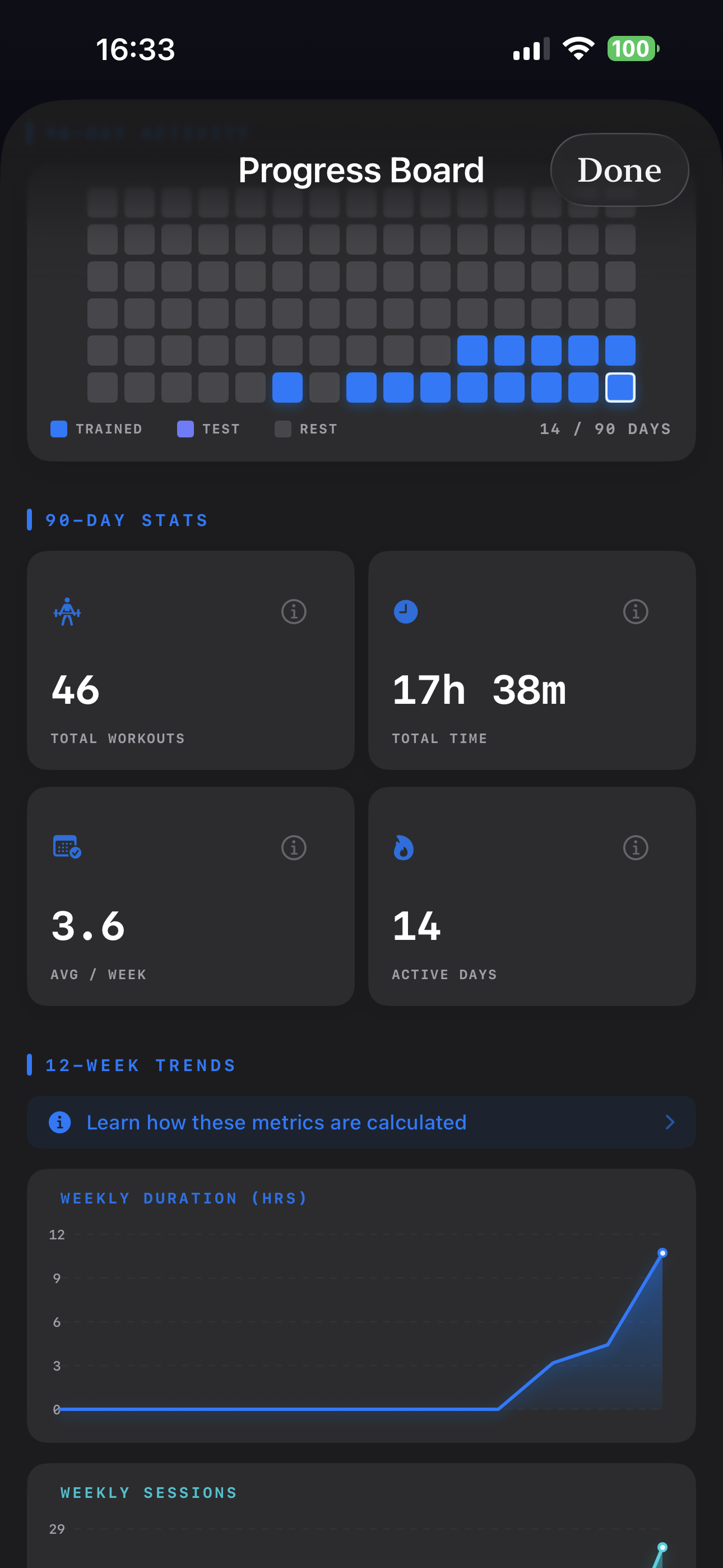
- 90-Day Activity Heatmap — Visual training calendar on the Progress Board
- 90-Day Stats — Total workouts, avg duration, total time, streaks & more
- 12-Week Trend Graphs — Weekly Duration and Weekly Sessions charts
- Consistency Score — 12-week rolling active-week count (X / 12)
- Weekly Duration — Total active training time across the last 7 days
- Most Trained Category — Your dominant training focus over the last 90 days
- Progress Selfies — Take and store progress photos on your profile
- Drag-to-Reorder Workouts — Arrange your workout list by priority
- Spotlight Search — Find any workout instantly from the iOS home screen
- Dark Mode Support — Full light and dark mode UI
- Categories & Filtering — Organize and filter workouts by category
- Workout File Sharing — Share routines via AirDrop, Messages & Mail
- Everything in Free
- Apple Watch Companion App — Run sessions directly from your wrist
- iCloud Sync via CloudKit — Seamless data sync across all your devices
- Live Heart Rate Streaming (BPM) — Real-time BPM display during sessions
- Color-Coded HR Zone Feedback (Zones 1–5) — UI shifts color to match your active zone
- Recovery Readiness — HRV, resting HR & sleep quality blended into a 0–100 daily score
- Progress Pulse — Consistency, effort & frequency combined into a 0–90 session score
- Dominant Zone — Time-in-zone breakdown showing which zone owned each session
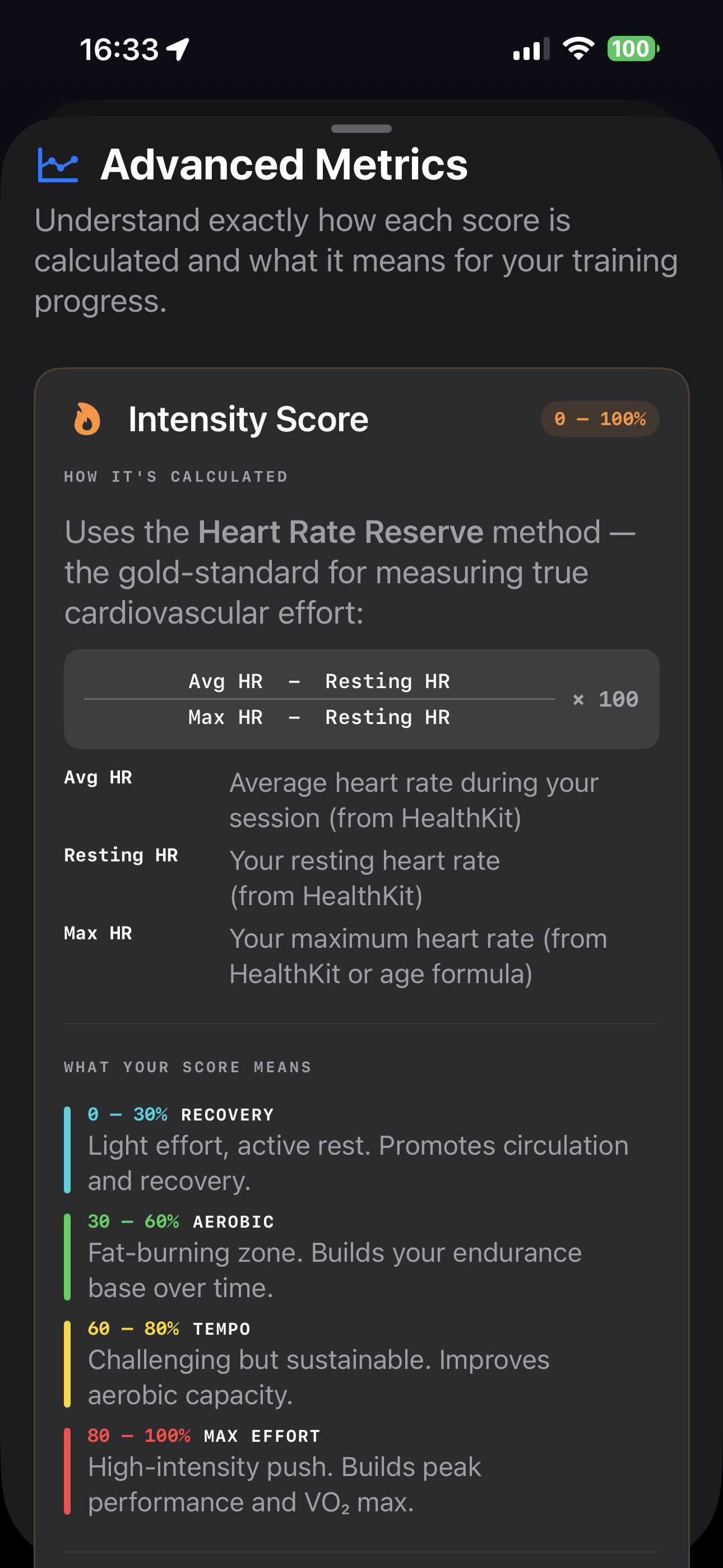
- Weekly Avg Intensity — 12-week effort trend graph using Heart Rate Reserve method
- HR Zone Breakdown per session — Time-in-zone detail on workout detail view
- Post-Workout Metric Chips — Scores surfaced on the session complete screen
Just long-press any workout in your list and drag it to a new position. You can put tomorrow's session at the very top for instant access, or organize by muscle group, intensity, or any order you prefer. Changes sync to your Apple Watch automatically.
Privacy is built into the core of PulseAnvil. Sign in with Apple means no password to manage and no email shared. HealthKit data never leaves Apple's ecosystem. All iCloud sync is end-to-end encrypted. There is zero third-party tracking or advertising.
PulseAnvil is in final pre-launch and will be available on the App Store very soon. Follow @NorthTactics on X for the launch announcement — that's where early access details will go first.
Still have questions? Send us a message
Press Kit
Writing about PulseAnvil? Download official brand assets, app screenshots, and review our usage guidelines below.
What's New in v1.13
Latest Release · April 2026PulseAnvil v1.13 introduces in-app video tutorials, Watch history sync, and a starter workout for new users. Key story angles for journalists:
How It Works — Video Tutorials
A new "How It Works" row in Settings opens a chapter-style tutorial library grouped by topic. Recently watched videos are cached for offline replay.
Watch History Sync
Completed Watch workouts now transfer to iPhone via dual-channel sync (background delivery + live message passing) with UUID-based deduplication.
Starter Workout for New Users
"Full Body Strength" comes pre-loaded with real targets — Squat 4×8 @ 135 lbs, Bench 3×10 @ 115 lbs — so new users see a fully configured workout immediately.
Free Tier Expansion
Consistency Score and Most Trained Category are now free for everyone — both appear in the 90-Day Stats grid on the Progress Board.
Premium Soft Paywall
After onboarding, the Premium screen appears as a sheet — subscribe or tap "Done" to skip. No hard gate, no forced upgrade.
New Slogan
"Forge Your Fitness" → "Built to track, not to sell." Updated on both the iOS splash screen and the Watch home screen.
Brand Assets
iPhone Screenshots
8 screens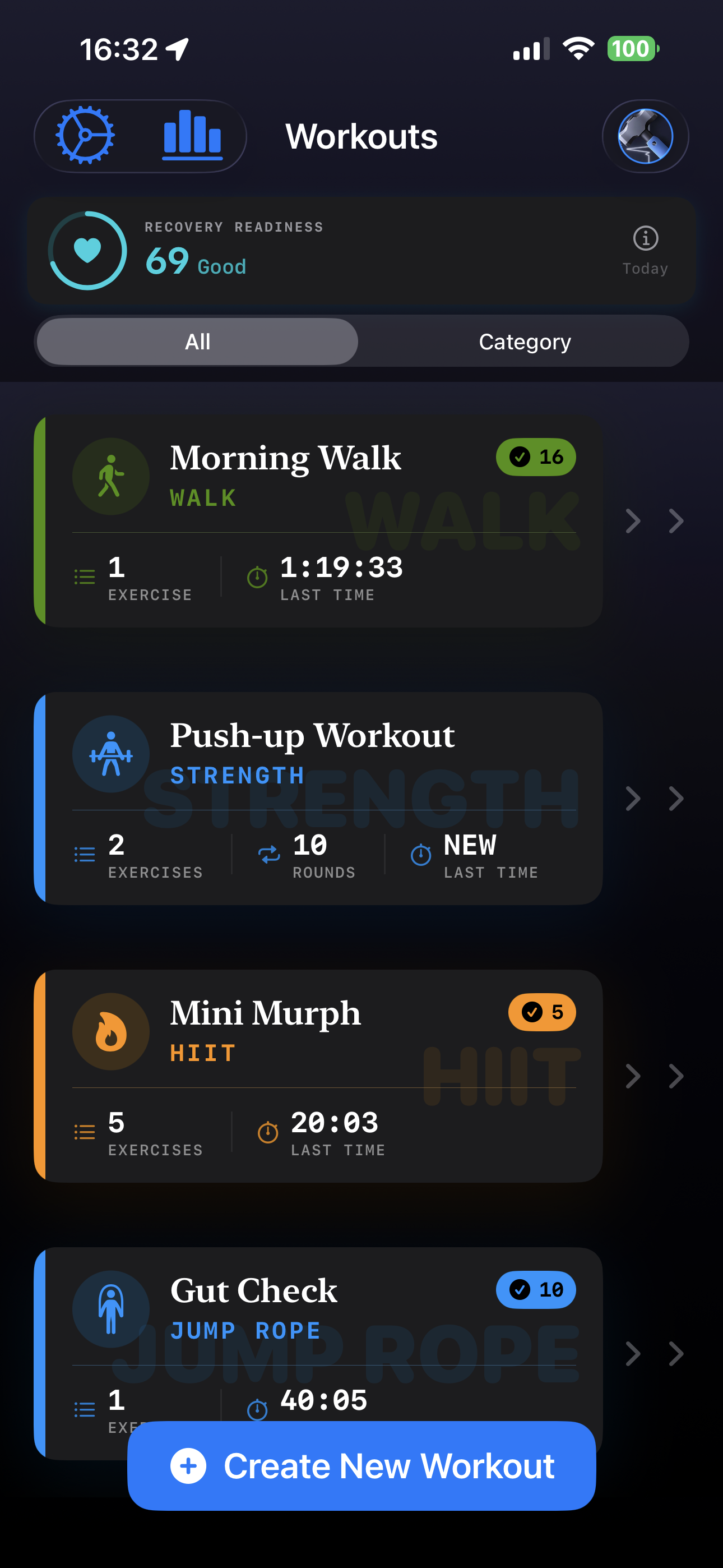
Apple Watch Screenshots
3 screens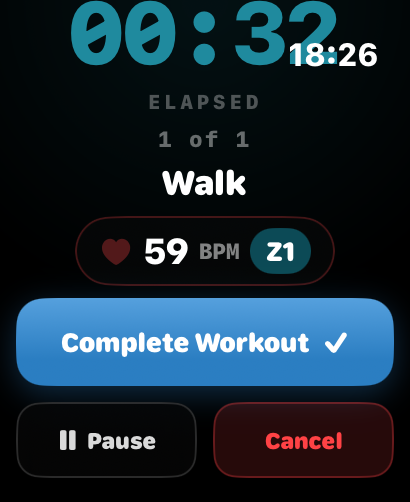
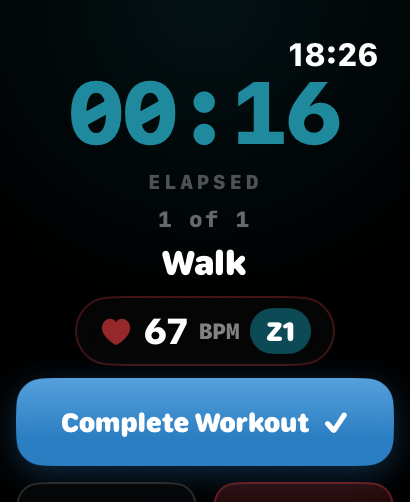
Tip: if the download button opens the image in a new tab, right-click → Save Image As.
Brand Colours
Primary Blue
#3B82F6
Deep Dark
#18181B
Mid Zinc
#52525B
Light BG
#F4F4F5
Usage Guidelines
App Name
PulseAnvil
Tagline
“Forge Your Fitness”
Always write "PulseAnvil" as one word — capital P and capital A.
Do not stretch, recolor, or alter the app icon in any way.
Maintain clear space equal to the icon height around all logo usage.
Tagline is "Forge Your Fitness" — do not paraphrase or modify.
Do not place the app icon on backgrounds that reduce legibility.
Media Enquiries
Review copies, interview requests, and additional assets — reach out and we'll respond within 48 hours.
anvilcrew@pulseanvilfitness.com